Batch bouncing for Logic Pro
Let Rat Runner bounce. Get your hours back.
Add all your sessions to the queue, then walk away. Rat Runner bounces them automatically.
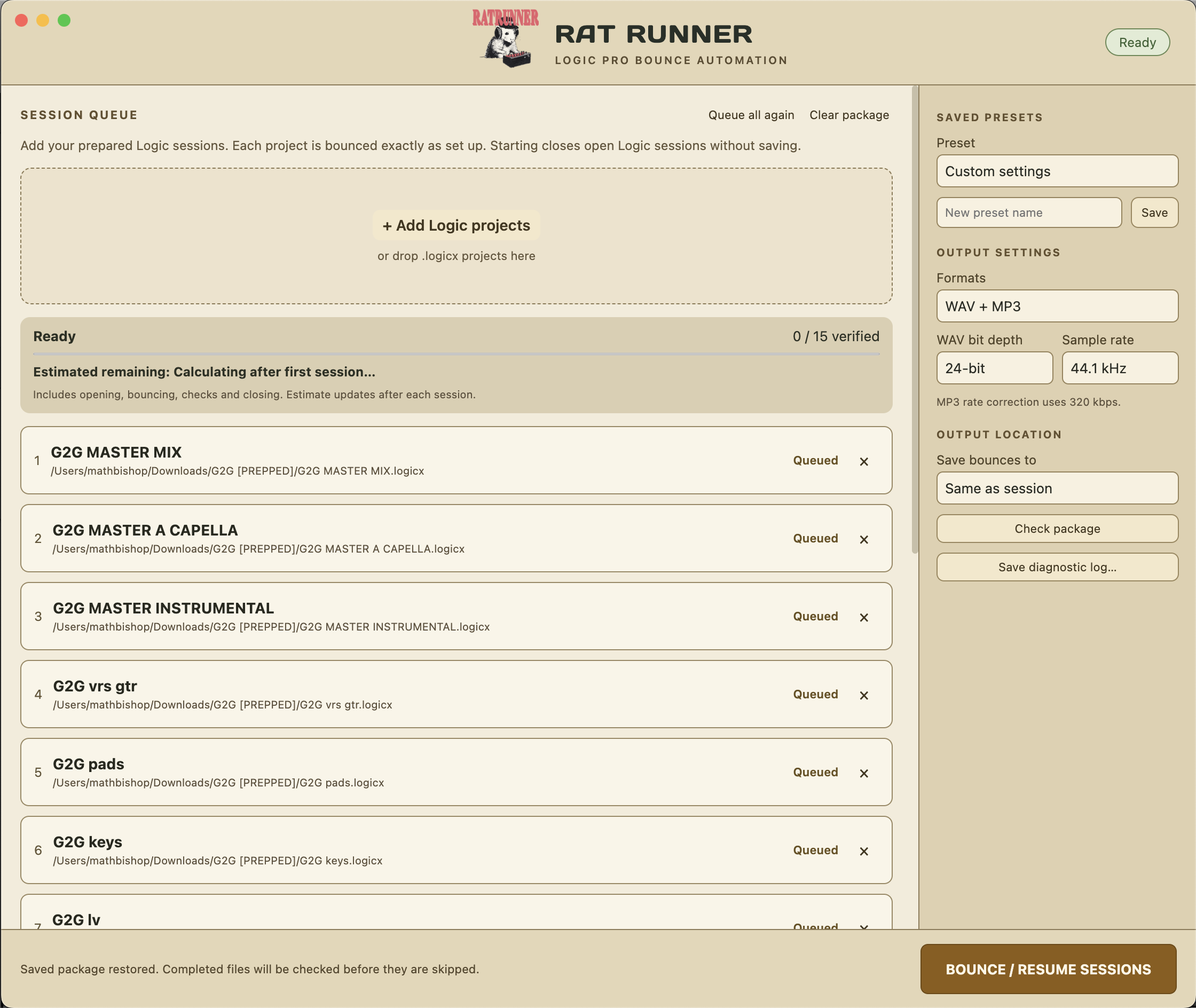
One queue. All your sessions.
Set up a batch of bounces and let Rat Runner work through the queue.
01 / Prepare
Save your Logic sessions.
Set up each session the way you want it bounced.
02 / Queue
Add sessions and choose your format.
Add your saved Logic sessions to the Rat Runner queue, then choose your output format.
03 / Bounce
Start it and step away.
Rat Runner runs the offline bounces in your queue without you having to start each one by hand.
Built in the mix room.
Created by working mixing engineer Math Bishop for the part of a session that starts after the mix is done.
Which versions of Logic Pro does Rat Runner support?
Rat Runner supports Logic Pro 10, 11, and 12. Support for Logic Pro 13 is in beta.
Can I queue more than one session?
Yes. Add multiple Logic Pro sessions to the queue and bounce them in one batch.